The design and arrangement of office workstations play a critical role in employee productivity, collaboration, and overall workplace efficiency. A well-planned office workstation layout not only maximizes available space but also creates an environment that supports focus, communication, employee well-being, and long-term business growth.
As organizations embrace hybrid work models and rapidly evolving workplace trends, selecting the right workstation configuration has become more important than ever. From open collaborative environments to privacy-focused workstation systems, the right layout can significantly improve workplace performance while enhancing employee satisfaction.
In this guide, we explore the best office workstation layout ideas to improve productivity and create efficient, future-ready office environments.
Why Office Workstation Layout Matters
A thoughtfully designed office workstation layout directly impacts several key aspects of workplace performance:
- Employee productivity
- Team collaboration and communication
- Space optimization
- Workplace organization
- Employee comfort and ergonomics
- Workflow efficiency
- Scalability for future growth
Poorly planned office layouts can lead to distractions, overcrowding, and inefficient use of valuable office space. On the other hand, strategically designed office workstation systems help businesses create organized, flexible, and productive work environments.
Modern businesses increasingly prefer modular office workstations because they offer flexibility, scalability, and easy reconfiguration to accommodate changing workforce requirements.
Open Office Workstation Layout
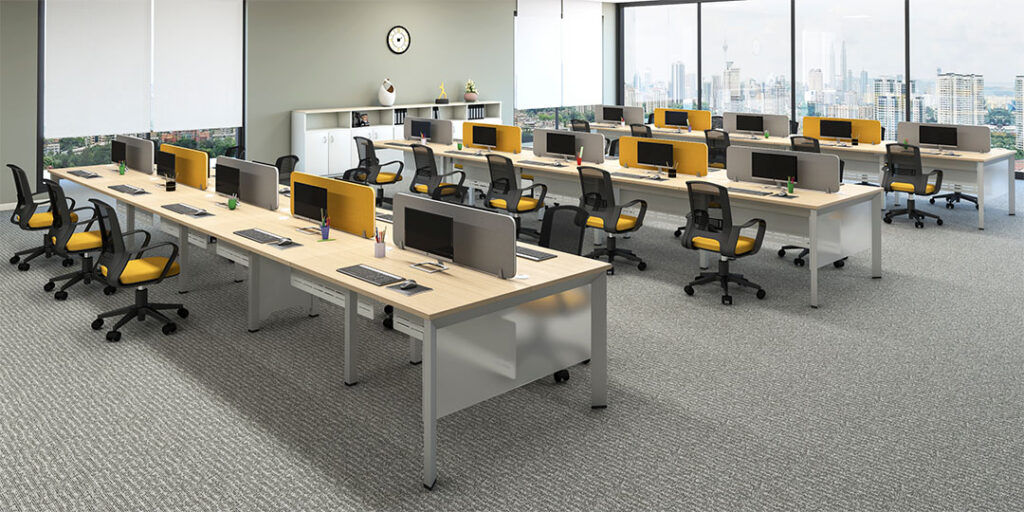
Open office layouts remain one of the most popular workstation configurations in modern workplaces. By minimizing physical barriers between employees, open layouts encourage collaboration, knowledge sharing, and team interaction.
Benefits of Open Workstation Layouts
- Improved teamwork and communication
- Better utilization of office space
- Flexible seating arrangements
- Enhanced workplace transparency
- Cost-effective office planning
- Easier supervision and collaboration
Open layouts are commonly used in:
- IT companies
- Startups
- Creative agencies
- Marketing firms
- Coworking spaces
Organizations looking to maximize flexibility often integrate desking workstations within open office layouts to create collaborative and space-efficient work environments.
Cluster Workstation Layout
Cluster workstation layouts organize employees into groups based on departments, functions, or project teams. This setup improves communication and enables teams to work more efficiently.
Advantages of Cluster Layouts
- Enhanced team collaboration
- Faster decision-making
- Improved workflow coordination
- Better project management
- Efficient space utilization
Cluster workstation layouts are ideal for:
- Software development teams
- Customer support departments
- Sales teams
- Operations teams
- Project-based organizations
Cluster layouts work particularly well when combined with modular office furniture systems that allow organizations to expand or reconfigure workstations as teams grow.
Linear Office Workstation Layout
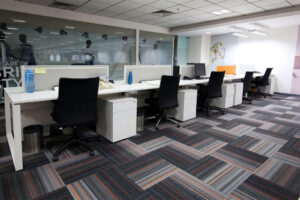
Linear workstation layouts arrange desks in rows or parallel lines, creating a structured and organized workspace while maximizing seating capacity.
Benefits of Linear Layouts
- Easy office planning
- Smooth employee movement
- Efficient floor-space utilization
- Scalable seating arrangements
- Cost-effective workstation setup
Linear layouts are frequently used in:
- Corporate offices
- Government organizations
- Educational institutions
- Administrative departments
Businesses seeking budget-conscious workspace solutions often explore the office workstation price in India, Guide to determine the most cost-effective workstation configuration.
Panel-Based Workstation Layout
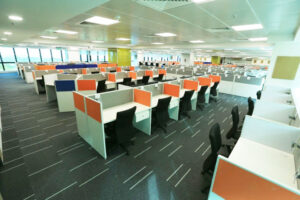
Panel-based workstation layouts use partitions or privacy screens to create dedicated work areas. This design provides a balance between collaboration and focused work.
Benefits of Panel-Based Workstations
- Reduced workplace distractions
- Enhanced employee privacy
- Improved concentration
- Professional office appearance
- Better workspace organization
Panel-based workstation layouts are suitable for:
- Finance departments
- Human resources teams
- Consulting firms
- Customer service centers
- Legal offices
Organizations requiring focused work environments often choose panel-based workstations to create productive and distraction-free workspaces.
Hybrid Office Workstation Layout

Hybrid workstation layouts combine collaborative spaces with private workstations. This modern approach supports diverse work styles while maintaining productivity and flexibility..
Advantages of Hybrid Layouts
- Supports focused and collaborative work
- Flexible workplace design
- Better employee experience
- Improved space efficiency
- Adaptable to changing work models
Many organizations are investing in modular office workstation solutions to create hybrid office environments capable of adapting to future workplace demands.
Benching Workstation Layout
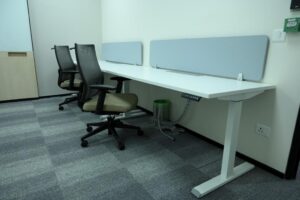
Benching systems consist of long shared desks that accommodate multiple employees. These layouts maximize seating capacity while encouraging collaboration.
Benefits of Benching Layouts
- Space optimization
- Cost efficiency
- Increased team interaction
- Easy scalability
- Modern workplace aesthetics
Benching layouts are widely used in:
- Startups
- Shared offices
- Technology companies
- Creative agencies
- Design studios
Modern benching systems are increasingly influenced by emerging modular workstation design trends, which emphasize flexibility, ergonomics, and sustainability.
Office Workstation Layout Comparison
| Layout Type | Privacy | Collaboration | Space Efficiency |
|---|---|---|---|
| Open Layout | Low | High | High |
| Cluster Layout | Medium | High | Medium |
| Linear Layout | Medium | Medium | High |
| Panel-Based Layout | High | Medium | Medium |
| Hybrid Layout | High | High | Medium |
| Benching Layout | Low | High | Very High |
Workstation Layouts Based on Team Size
2-Seater Workstation Layout
Ideal for small teams and compact office spaces requiring collaborative workstations without occupying excessive floor space.
4-Seater Workstation Layout
One of the most popular office workstation configurations, balancing collaboration, privacy, and efficient space utilization.
6-Seater Workstation Layout
Suitable for medium-sized teams that require structured collaboration while maintaining organized workflows.
8-Seater Workstation Layout
Designed for larger departments and open office environments where productivity and seating optimization are priorities.
Tips for Designing an Efficient Office Workstation Layout
Analyze Workflow Requirements
Understand employee interactions and business processes before selecting a workstation layout.
Optimize Space Utilization
Choose layouts that improve movement while preventing overcrowding.
Prioritize Ergonomics
Comfortable seating, desk heights, and workstation positioning contribute significantly to employee productivity.
Incorporate Smart Storage Solutions
Integrated storage helps maintain organized and clutter-free workspaces.
Plan for Future Expansion
Invest in scalable workstation systems that can accommodate business growth.
Improve Workplace Lighting
Natural and artificial lighting significantly influence employee performance and well-being.
Encourage Collaboration
Design workspaces that promote communication while maintaining areas for focused work.
Why Modular Office Workstations Are Ideal for Modern Layouts
Today’s businesses require workplace solutions that evolve alongside organizational growth and changing workforce demands. This is where modular office workstation systems provide significant advantages.
According to industry trends, businesses increasingly favor modular office furniture because it offers flexibility, scalability, and long-term cost efficiency.
Benefits of Modular Office Workstations
- Easy workstation reconfiguration
- Scalable seating capacity
- Improved space optimization
- Enhanced workplace aesthetics
- Support for hybrid work environments
- Cost-effective long-term investment
- Adaptability for future growth
Businesses can further explore the benefits of modular office workstations for modern offices to understand how flexible workstation systems contribute to workplace productivity and operational efficiency.
Choosing the Right Office Workstation Layout
There is no universal workstation layout suitable for every organization. The ideal office workstation configuration depends on factors such as:
- Team size
- Nature of work
- Collaboration requirements
- Privacy needs
- Available office space
- Budget considerations
- Future expansion plans
Partnering with an experienced office furniture manufacturer can help organizations design customized workstation layouts that maximize productivity while creating comfortable and engaging work environments.
Conclusion
A strategically planned office workstation layout is essential for creating productive, organized, and employee-friendly workplaces. Whether implementing open office layouts, cluster configurations, panel-based workstations, benching systems, or hybrid workspace designs, businesses must align their workstation strategy with operational goals and employee needs.
Modern modular office workstation solutions provide the flexibility, scalability, and functionality required to create future-ready workplaces that support collaboration, innovation, and sustainable business growth.
By investing in adaptable office workstation systems and modern office furniture solutions, organizations can build workspaces that enhance productivity, improve employee satisfaction, and remain effective as workplace trends continue to evolve.
Frequently Asked Questions
What is an office workstation layout?
An office workstation layout refers to the arrangement and organization of workstations within a workspace to maximize productivity, collaboration, comfort, and space efficiency.
Which office workstation layout is best for productivity?
The ideal layout depends on business requirements. Open layouts encourage collaboration, while panel-based layouts enhance focus and privacy.
How do workstation layouts improve productivity?
Effective layouts reduce distractions, improve workflow efficiency, support communication, and create comfortable work environments.
What is a hybrid office workstation layout?
A hybrid layout combines collaborative work areas with private workstations, supporting different work styles within the same office environment.
Why are modular office workstations preferred for modern offices?
Modular office workstations offer flexibility, scalability, easy reconfiguration, and efficient space utilization, making them ideal for evolving workplace needs.
How do I choose the right office workstation layout?
Consider team size, office dimensions, workflow requirements, privacy needs, budget, and future growth plans when selecting a workstation layout.
What are the most common office workstation configurations?
Popular configurations include 2-seater, 4-seater, 6-seater, and 8-seater workstation layouts, along with customized modular workstation systems.
Can office workstation layouts be customized?
Yes. Modern modular workstation systems can be customized according to office dimensions, team structures, operational workflows, branding requirements, and workplace design preferences.